|
Hellow the short version of my Research Story as of 30 Oct
2023, D.R. "Doc" Young Begnal Eaton
Jo Del
Catching Up...I Wish You all the Best always
and have since about 1998 - 40 Something
My Ancestry Profile | My DNA
Oct 2025 | My Eaton Story | My Eaton's (Elizabeth
Shaughnessy m Claude Brudenell Eaton)


My Ancestry DNA as of Oct 20205

Genealogy Research & Assistance
drdocyoung.com
I am not in Salt Lake,
having lived in West Valley
City short of 16 yrs, moved 12 Jul 2021 to Ontario,
Oregon, then 28 Aug 2024, moved to the South Bay,
Southern California my home.
In search of my
Father a Young that began 11 Sep 1992, not knowing he was not a
Young, as on my birth certificate.
I came to learn that
my Father Richard Newton Young (whom I met for the first time
1968) was born a Begnal, 2 years into researching as
a Young in 1994.
After obtaining my Father's birth certificate
showing his birth as
Newton Richard Begnal, parents Clifford
Franklin Begnal and Thelma Fern Perry. Note: Perry the
maiden name of his Mother derives from the surname
Pereira Cardoso. Young from Begnal becomes Eaton
after Y-DNA proof changes 5 Feb 2019, 27 years from the
day I began researching.
In Jun 2005,
I had lost
my oldest son Don Jr., a month shy of his 35
BD, a father of 2, from Cancer, this I learned 2
years after his passing.
My next oldest son Richard, now 50, lives in TN,
a father of 6, I since have lost a spouse to Cancer, both
my parents deceased, having lost 3 of 5 half sisters, so I have a
surviving 1st Cousin of 2. 3 - 2nd Cousins whom I am in touch with
in OR, the others in CT a 2nd Cousin in CT, only one
passed 23 Sep 2024, and his sister 7 Sep 2022. I
have or had a Half Brother unknown if among of this post
19Oct2025.
I have 8 grandchildren only 3 of the 8 have I ever
met and 9 great-grandchildren all of whom I never met any of
them.
My only Granddaughter Victoria, 36 is in OK, a
mother of 4, the last I saw her, she was 12, in
2001.
I do my best to stay in touch, thank goodness for
computers, Internet/Web and Facebook. However,
unless I contact them, none ever initiate messaging
or sending an e-mail. My life in the Fire Service
(Marines & DOD) have worked and lived in 9 states.
Not one of those who was born, lived their whole
life in one county with family, no family reunions,
no siblings, and I did not meet my Father until
nearly 21 for the first time.
So I knew nothing about him of his life before me,
or since he and my mother went their separate ways I
night have been between 2 & 3. My mother never
shared, nor did I have a Father, so never asked, as
I had a Step-father in 1952, then his replacement in
1957. I left home for good at age 16, in 1963.
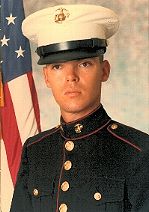
Marines came in 1972-75, Nam Era Vet, and I probably
one of the few who wanted to go to Nam Navy, Air
Force and Army was a no go. Too many hardship
discharges. I was a Father, with Don Jr. married 3
yrs 3 mos when I went into the Marines at 24. They
needed one more good man, I guess.
I was a Carpenter Room Addition & Remodeling before
the Marines, with 2 yrs vocational training in
Carpentry & Basic Building Trades. I was going to be
an Architect, instructor of Mechanical Drafting
encouraged me to, and that if I wanted to be a good
Architect I should become a Construction Engineer,
and why I began with vocation in that direction.
But Nam was going, so I needed a steady job, and
medical, why the Marines. Only the Construction
(Technical Specialist Field) in the Marines was
full, leaving my options of Grunt O3 (Infantry) or
Aviation. So I went Aviation, as the years I growing
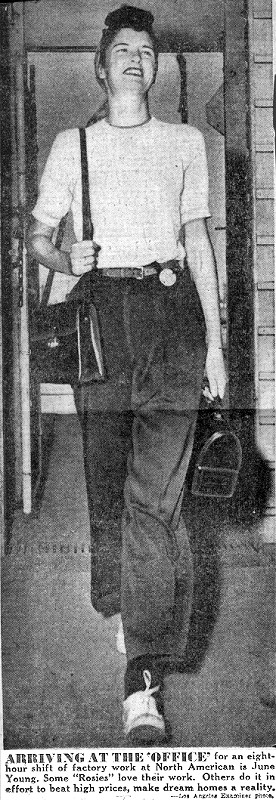
up with Mom, she was a Rosie Riveter, and worked 35
yrs both North American Aviation which later became
Rockwell International, so in part I grew up around
aircraft.
Only in the Marines Aviation was a 6 month school
and I did not want to be a jet mechanic...my test
scores were high, so I had the option of changing my
MOS from Aviation and I chose MOS7051 Crash Fire &
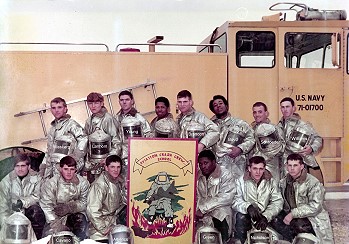
Rescue. So for the next 24 yrs I was a Federal Fire
Fighter in Crash Fire & Rescue.
I worked on Navy, Marine and Air Force Bases in 5
states. Started a
Volunteer Fire Dept. in Westover,
AL in 1978. Also days off working 24 hrs on 24 hrs
off every other day, I volunteered at a couple city
departments, as Lake Barton Fire in Orlando, FL and
Apple Valley Fire in CA. I have a wide range of FF
experience, usually not afforded those working City
or County Fire Dept. I also became an EMT in FL and
CA, and a Hazmat Tech. along with my usual FF
duties, be it Structural, Commercial, Brush & Forest
FF, Vehicle Accidents and Aircraft Incidents, Fires
& Crashes of Military and Civilian aircraft.
I was working
George AFB, Victorville, CA from
80-92, George AFB came on the hit list to close by BRAC (Base Re-Alignment and Closure) by DOD, and I
was transferred to Puget Sound Naval Shipyard (PSNS),
Bremerton, WA. This is were I added Shipboard and
Nuclear FF experience to my resume.
Always training and learning goes hand n hand. Also FF's no matter the weather, you are in route to the
emergency. No matter what hazards are involved, you
have a front row seat. Greatest reward is saving
lives, and the downside is loss of life, no matter
age of the person(s).
While at
PSNS, having had to leave my home in
Hesperia CA, which I purchased using my CALvet
(California Veteran) status of my first home, I
lived in my 24 ft travel trailer the next 3-4 yrs.
This is when I began my Genealogy Research 11 Sep
1992, receiving a 3.5" floppy disk "FamilyOrigins" I
ordered, not knowing what to expect or where this
journey I was about to embark on would taking me.
My research began with my Paternal Grandmother whom
I met shortly after my Father in Sep 1968, Thelma
Ferne Perry. she told me when we met that I had the
Perry Eyes and that we were Portuguese. No more was
shared by her, or about life with my Father of his
growing up and who was my Paternal Grandfather.
|
Back in 92, there was the Internet...the Web had not
become commercial available to the public. There was
no FamilySearch .org, no Ancestry .com or Rootsweb
so researching from the keyboard, computer and the
Internet there was virtually nothing to access or
find out about your Ancestors.
However, I had the FamilyOrigins genealogy program
disk. In the next two years 93-95, I learned after
sending for my Father's birth record, reply came
back no one of the name Richard Newton Young, b. 16
Jul 1924, was found. At the time my Father still
among the living, so I spoke to him stating what
learned, as he did not even know where he was born. I said, no record of your being born, he replied
with Begnal, not born as Young.
So I sent off in the mail another request, this time
for Richard Newton Begnal. A reply came with a copy
of his birth cert. as Newton Richard Begnal, father
Clifford F. Begnal and mother Thelma F. Perry. He
was born in San Francisco. And there is an Uncle
too, only I have yet to this day met my Paternal
Uncle. His birth cert. only has his name as Begnal, same parents, born in 1923, San Francisco. All this
took place in 1994.
3 Jan 1995, my Father passed on, and his Brother
Clifford was there in the hospital, only he never
came to the waiting room to see me I was 48, or my 3
half-sisters, ages 37, 38 & 41. To this day my
father or uncle do not know they are not Young nor
Begnal genetically.
Thelma does not know this either, as she passed 28
Mar 1979, as did my Maternal Grandmother Antoinette
Victoria Blaschkov aka Toni Wilson, who passed 13
Jun 1979. Not does my Mother June Elsie Wilson, that
her Father was not the Rev. Richard Hewitt. A Man
whom I thought was my Maternal Grandfather up until
1981. The Reverend told me, he never married Toni,
however they lived together 25 yrs. Toni never
worked nor drove a car.
My findings over the years produced some amazing
facts that did not support family folklore I was
told by Thelma. My Father never shared, nor my
Mother. In 1968, my Mom knew where my Father was my
whole life and contacted him, keep in mind I left
home in 1963-64...and I received a letter written on
grade school cursive paper from my Father, it looked
like a child had written it. So I thought it was a
joke.
I then had 3 half sisters and later learn a
half-brother. I thought I was possibly the oldest
and first born, that was not the case as my research
and the story became in may journey wanting learn
about my Father and his side of the Tree.
Half brother by his 2nd marriage in 1950, thinking
my Mom was his first marriage in 1946, my half
sisters his 3rd marriage of 1953...do you see a
pattern here.
I had been researching a few years, I had written
every Begnal in the USA I could find, I received two
replies one from an Clifford Floyd Begnal who lived
in CA and a Robert Franklin Begnal, who lived in NY. Both men were sons of my Paternal Grandfather
Clifford Franklin Begnal, b. 31 Mar 1903, Utica, NY.
I spoke to Clifford Floyd (half uncle) on the phone,
and I informed him your Father is my Grandfather. It
was not a week had pass, that I got a call from a
Susan Marie Begnal, who informed me that my Father's
name was on her birth cert. this in the year 1994,
and that she had been adopted shortly after birth 24
Jan 1945, by Jun 1945. That she had a sister Anna
Laura Fern Begnal, who passed in 1977 from an auto
accident.
So I went from being the only child of my Mother, to
now having 5 half sisters and a half brother thanks
to Dear Ole Dad. The surprises I would encounter the
next 24 yrs of my researching I was about to be
surprised even more.
I could not find a record of Birth for Clifford
Franklin Begnal, nor as a Young. My Father by School
Days in 1930 was Richard N Young, his 1941 SS-5
application he had an issue of printing Newton, as
his given name and he is a Young, now his father's
name is Clifford F. Young, not as on his birth
certificate as Begnal, so he did not need to provide
his birth cert. as proof of who he was.
My Father marries 28 Mar i942, as Richard Newton
Begnal, his first born is not me, it is Anna Laura
Fern Begnal, and on her birth cert. he is a Begnal. Jul 1942, his having turned 18, goes into the Army
as Richard Newton Young...so I guess the military
accepts SS Card as proof of who your are, or does
not care, as there is a War and we need you to
protect American Mr. Young
Discharged from the Army 1944, as Young, and in
1946, marries as a Young. As most researchers might
find their Grandparents of their Father in the 1930
census with uncle, nope no such luck there. Both
Father & Uncle born San Francisco 1923 & 1924. It
took a few years after the 1930 census was released
in 2000, to find Thelma and the Boys...
|
Clifford Franklin Begnal Young seems to have married
Thelma in 1922, remarried in 1926, then again in
1929....so where is Thelma and the Boys? Family
Folklore has Thelma coming south from Frisco with
the Boys, so Elizabeth nee Shaughnessy Begnal
(1882-1949) could not find the Boys and from the
school records of my Father, shows him starting School in San Pedro, CA (Los Angeles County School
District)
So where does the name Young come from, who does she
know living in San Pedro, as Thelma is b. 1903,
Auburn ME and how does she get from ME to CA by 1920
census, marries in 1922 to Clifford in San Francisco
and now in San Pedro by Sep 1930.
As Life has its
ups and downs, I finally find Thelma and the Boys in
1930 still in San Francisco...as Thelma remarries 8
Feb 1930, San Francisco, to Robert J. Benesch, with
2 step-sons Clifford Begnal, 6, and Richard Begnal,
5 as of 9 Apr 1930.
And 5 mos later in San Pedro enrolled in School 3
Sep 1930, as a Young. So for 24 yrs I research
records for Young and Begnal, not Benesh/Benesch or
Perry. The Portuguese Eyes, when I was transferred
from Puget Sound Naval Bremerton WA to Naval Air
Field, El Centro, CA in 1992, still living in my
Travel Trailer now on the base Oasis RV Park...I
went to a Family History Center (FHC) and shared
that I was Portuguese per Thelma Perry.
Of course I do not know the story per records of my
Father's school, marriage, military or his birth
certificate or the 1930 census (1924-1942.
A
Volunteer Lady at the FHC (Family History Center) El
Centro, CA, when I told her about
Perry & Portuguese, she replied with "Pereira" is
Portuguese for Pear Tree. Only years later, I learn
Thelma's father although named Anthony D Perry on
her 1906 birth cert. Auburn ME, is not how he was
born...which is Antonio Pereira Cardoso becomes the
IV, as there is APC I b. 1793, II b. 1821, and III
b. 1859 Antonio Pereira Cardoso IV is born 8 Apr
1882, Pedro Miguel, Horta, Faial, Azores. By 1900
Antonio IV became Anthony Dexter Perry 1882-1946.
I had just sent off my first DNA (Autosomal) test
via Ancestry earlier in Dec 2016, however did not
have the results as yet. Only the results did not
clarify who I was as being a Young or Begnal. I had
searched the Begnal line back to Ireland about 1840
and a man whom I suspected to be my bio paternal
great-grandfather for the last 24 yrs, was not
George Felix Begnal (1879-1957)
And the big bomb came 29 Dec 2016, from my 2nd
Cousin John William Rockwell Jr, who lives in Nova
Scotia in the following e-mail
Dear Doc Young,
I recently dug deeper into my mother and father’s
ancestry documents and found what appears to be the
solution to the conundrum you mention about Clifford
Franklin Begnal parentage.
Your research and instincts were right. Clifford’s
parents were not Lizzie Shaughnessy and George
Begnal. It turns out that Lizzie had a previous
marriage. on June 13, 1900, she married Claud[e?] B.
Eaton, and this union gave birth to Clifford
Franklin in 1903.
What happened to this first marriage, I don’t know,
nor do I know why Lizzie decided to change her son’s
name to Begnal. I suppose that was the convention at
the time, and that it was still shameful for a woman
to be divorced or to have a son with a different
father’s last name.
I have attached a number of documents, letters, and
pictures that clearly show some of Clifford's story.
Most poignantly, I found a letter from Clifford in
1928 at the age of 25 to his Aunt Louise Shaughnessy
asking her what his true name was.
Other letters show the eventual demise of Lizzie and
George Begnal’s marriage. It’s clear that he had
lost a significant amount of money through betting
on the horses at Saratoga Springs race track, was
going out with another woman, eventually promised to
return home, but never did. I started to transcribe
the letters, but have run out of time at this point.
I couldn't find hardly any information at all about
Claude B. Eaton or George Begnal. I found a Claude
B. Eaton in Monroe, NY in a 1920 census.
Since reading that e-mail and viewing the Marriage
Cert. also the letter of 1928...I was really lost
now...24 yrs down the hatch. Which led me to my next
DNA test that of a Y-DNA with Family Tree DNA Dec
2018 from 2016 up to 2018, I had connected Claude B
Eaton to Claude Brudenell Eaton, b. 8 Aug 1879,
Utica, Oneida Co., NY and back to the Mayflower
direct line...that of Francis Eaton (1595-1633) and 5 Feb 2019, results were in of my Y-DNA, I am
indeed an Eaton, also confirmation came from the
Eaton Family Association so I am....
A direct descendant of Francis Eaton (1595/96-1633)
& Christian Penn (1607-1684), my 9th paternal
great-grandparents. by way of their son Benjamin
Eaton Sr., b. 1 Jun 1627, Plymouth, British Colonial
America, d. 16 Jan 1711, Plymouth Co., MA & Sarah
Hoskins (1637-1711), my 8th paternal
great-grandparents.
Francis Eaton in the New England, The Great Migration
and The Great Migration Begins, 1620-1635 -
requires Ancestry Membership to
view
https://www.ancestry.com/discoveryui-content/view/49742:2496
|
|
Diana, Princess of Wales -
still connecting as of 19Oct2025
Wikipedia
en.wikipedia.org |
|
Other Cousins
Franklin Delano Roosevelt
The Baldwin's
"Alec" and his Family
|
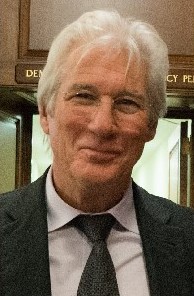
Richard Gere -
Wikipedia
en.wikipedia.org |
|
Part IV - Final Story Ending
Thank you for your patience, I wanted to share in
the event of your research you may related, my not
knowing your length of time since you began.
I then removed 500 Begnal descendants from
FamilyTreeMaker (FTM), and have successfully have the
Eaton line now to John Eaton (1484-1517) & Elizabeth
Vaughan (1489-1514) of Gloucestershire,
Gloucestershire, England, UK also the surname is
also as Eyton/Eton and there is an Eyton Hall,
England.
The British name Eaton is rooted in Old English and
means "island settlement," "riverside," and "deer."
The name has traditionally been used as a surname in
England but has become increasingly popular for baby
boys.
English: habitational name from any of various
places called Eaton or Eton, such as Eaton Socon
(Bedfordshire), Eaton (Cheshire), or Eton
(Buckinghamshire), named from either Old English ēa
'river' or ēg 'island, low-lying land' + tūn
'enclosure, settlement'.
So I am not from Royalty or Wealth or
Famous...However, I am now related to Franklin Delano
Roosevelt (3rd president) and Ulysses S. Grant Jr.,
Former Secretary to the President of the United
States ‧ the second son of President Ulysses S.
Grant, (born Hiram Ulysses Grant) Grants connect to
my Rockwell's and Ellen "Ella" Shaughnessy, my 2nd
Great Aunt, sister to my Gr-Grandmother Elizabeth
Shaughnessy mother of Clifford Franklin Begnal Young
Eaton.
Means that the descendants of Clifford Franklin
Begnal (grandfather) 1903-1960, Newton Richard
Begnal (father) 1924-1995, and Clifford Anthony
Begnal (uncle) 1923-2012, are genetically connected
to Eaton.
Only in my Tree I have them named Clifford Franklin
Eaton Begnal, Newton Richard Begnal Young Eaton, and
Clifford Anthony Begnal Young Eaton
I did not want it to be confusing for anyone, if and
when they happen upon my Ancestry DNA shared Tree
Blaschko, Eaton, Perry/Pereira Cardoso, Shaughnessy,
Wilson, Young (12,753)
https://www.ancestry.com/family-tree/tree/116281431/
I do have two others I am working to connect to my
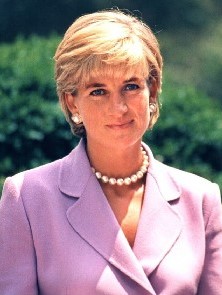
tree as I have Spencer's (Princess Diana Frances
Spencer)https://en.wikipedia.org/wiki/Diana,_Princess_of_Wales
and Richard Tiffany Gere a descendant of William
Brewster, his ancestors include Pilgrims such as
John Billington, William Brewster, Francis Eaton,
Francis Cooke, Degory Priest, George Soule and
Richard Warren. Source: https://en.wikipedia.org/wiki/Richard_Gere
My Maternal Grandmother Antoinette was born 1901,
Szentgyorgy, Pozsony, Hungary today is Svaty Jur,
Bratislava, Slovakia...
https://drdocyoung.com/blaschko/blaschko-images/Blaschko-Family-abt-1907.jpg
...I know that I descend from the Azores, only once into
researching learning the history and how Azores were
discovered, who first Settled, leaves me to believe
I am not Portuguese.
https://drdocyoung.com/pereira-cardozo/images/family-photos/the_cardozos_abt_1890.gif
One may look at the History of
their Origins, even more
so after DNA testing, depending if you wish to align
with Ethnicity Results and Comparisons, as my
Ethnicity with Ancestry since 2016, has altered at
least 6 or 7 times.
Not
Current
Ethnicity is as follows
Ireland 28%
England & Northwestern Europe 21%
Eastern Europe & Russia 18%
Wales 9%
Sweden & Denmark 6%
Germanic Europe 6%
Portugal 5%
Scotland 4%
Norway 3%
See
DNA Oct 2025
for Current
My other DNA with FamilyTreeDNA (24 Dec 2018) sheds
a different light on my results geared more to my
Paternal, and another test was with CRI (Cellular
Research Institute) of 25 Jun 2021, only I do not
have much time spent trying to better understand my
results.
Ancestry, I have acquired 21,349, DNA matched
Cousins since 16 Dec 2016. I had also uploaded my
initial rawDNA file to MyHeritage, and GEDmatch, as
well. Partial Tree is also on FamilySearch, WikiTree
and I may have another site part of my tree resides.
Only no one ever contacts me. And on FamilyTreeDNA,
I have many DNA matches to Eaton's, none to Young,
and one Begnal, as he is my half-uncle's son, so he
too connects to the Eaton name/genetic line.
Any Questions you may have, please indulge...I am
happy to answer, or assist Friends and Relatives.
D.R. "Doc" Young
web: https://drdocyoung.com
e-mail: ancestorologist.drdocyoung@gmail.com
2:48PM/Monday/30Oct2023
|
|